Make Every Thought Count: Your Daily Capture Habit

Today we’re building a daily capture habit for ideas, tasks, and references, turning scattered sparks into reliable momentum. Expect simple rituals, forgiving systems, and practical tools you can start using immediately, so nothing valuable slips away when your day gets noisy.

Why Capturing Beats Remembering

Memory is leaky, especially under stress. Offloading raw thoughts, tiny tasks, and interesting references protects attention, reduces decision fatigue, and preserves creative bandwidth. Research on working memory limits and the Zeigarnik effect suggests unfinished items tug at focus; recording them releases tension while preserving context, so you can return with clarity, intention, and energy rather than worry or guesswork.

Your Brain Is For Having Ideas, Not Holding Them

George Miller’s famous range is debated, yet the core truth remains: working memory is painfully small. Treat it like a whiteboard, not a warehouse. When a spark appears, write it down instantly, preserving nuance before interference wipes details and leaves you strangely convinced nothing important happened.

Stress Drops When You Externalize

Anxious loops thrive on ambiguity. The act of capturing transforms vague obligations into visible items with beginnings, middles, and potential ends. By naming what you intend to revisit, you reassure your nervous system, lighten cognitive load, and create psychological safety that supports deeper, more satisfying work in the present moment.

Small Wins Create Big Momentum

Progress produces motivation. Each recorded insight, clarified task, or saved citation is a measurable step forward, creating a feedback loop of control and confidence. Pair your captures with tiny completions—like a two-minute response or a next-action label—and watch momentum accumulate without willpower theatrics or unsustainable bursts.

Designing Your Inbox System

Reliable capture depends on trusted, ever-ready inboxes. Choose a pocket notebook, a single-tap mobile app, voice dictation, and an email forwarding trick, then standardize quick entry across them. The goal is predictable intake, not organization perfection, because clarity emerges later during calm processing, not during frantic moments when ideas first appear.

The 30-Second Rule

If something takes under thirty seconds to record, do it now, not later. A swift note, an inbox email to self, or a hastily snapped photo converts fleeting context into durable clarity. Later-you will thank earlier-you for preventing expensive reconstruction work.

Habit Stacks And Anchors

Attach capture to reliable actions you already do: open notebook with coffee, dictate during the first minute of a walk, process inbox after checking calendars. Stacks eliminate decision friction and make consistent behavior nearly automatic, even on sleep-deprived days or travel-heavy weeks filled with disruptions.

Cues In Your Environment

Design spaces that remind you to act. Keep the notebook visible on your desk, pin a shortcut to the phone dock, and place an inbox tray by the door. When the environment nudges you, consistency rises without requiring heroic motivation or complicated personal pep talks.

Processing: From Pile To Progress

Clarify In Plain Language

Rewrite every note so future-you instantly understands it. Replace cryptic fragments with verbs, objects, and contexts, like call, draft, schedule, research, file. Clear phrasing reduces friction during action, accelerates prioritization, and helps collaborators assist without confusion when you share or delegate items later.

Four Lanes: Do, Decide, Defer, Delete

Rewrite every note so future-you instantly understands it. Replace cryptic fragments with verbs, objects, and contexts, like call, draft, schedule, research, file. Clear phrasing reduces friction during action, accelerates prioritization, and helps collaborators assist without confusion when you share or delegate items later.

References That Resurface On Time

Rewrite every note so future-you instantly understands it. Replace cryptic fragments with verbs, objects, and contexts, like call, draft, schedule, research, file. Clear phrasing reduces friction during action, accelerates prioritization, and helps collaborators assist without confusion when you share or delegate items later.

Tools You Can Trust

Pick tools that feel invisible in your hands. Paper captures anywhere, mobile apps sync instantly, and desktop shortcuts speed clarification. Whether you prefer Apple Notes, Google Keep, Obsidian, Notion, Evernote, Roam, OneNote, Todoist, or Things, consistency beats features because reliability builds confidence and drive.

Paper That Travels

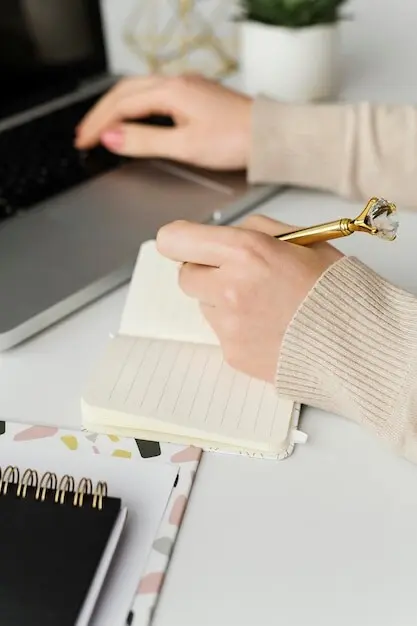
A pocket dot-grid notebook and a frictionless pen reduce hesitation. Tape a capture instruction on the inside cover: date, short line, verb-first. Paper never crashes, survives dead batteries, and invites sketches that reveal relationships faster than text when ideas arrive sideways or half-formed.

Mobile Quick-Capture Stack

Set a default notes app, a universal share-to-inbox action, and a voice assistant phrase that files to the same place. Add scanning for whiteboards and receipts. With three taps or fewer, you can record thought, task, or reference before context evaporates into afternoon chaos.

Desktop Intake Shortcuts

Create a global capture hotkey, an inbox email alias, and a watch folder that imports screenshots or PDFs automatically. Keep these universal so muscle memory forms. When ideas or tasks show up during deep work, you can park them without breaking flow or losing threads.

Join The Practice And Share

Show up for one week and notice the difference. Capture everything generously, process daily without drama, and review lightly each Friday. Share your setup, hurdles, and tiny victories with our community, subscribe for experiments and prompts, and help others by posting what actually worked.
Pexilentoveltodexokaromexo
Privacy Overview

This website uses cookies so that we can provide you with the best user experience possible. Cookie information is stored in your browser and performs functions such as recognising you when you return to our website and helping our team to understand which sections of the website you find most interesting and useful.